01
Battery Health
%Capacity vs. design — can read past 100% — with live cycle count.
Health, temperature, voltage, current and real-time power flow — measured straight from the silicon and laid out in your menu bar. A native Swift app that idles at ~0% CPU.
apple silicon · ad-hoc signed · no telemetry
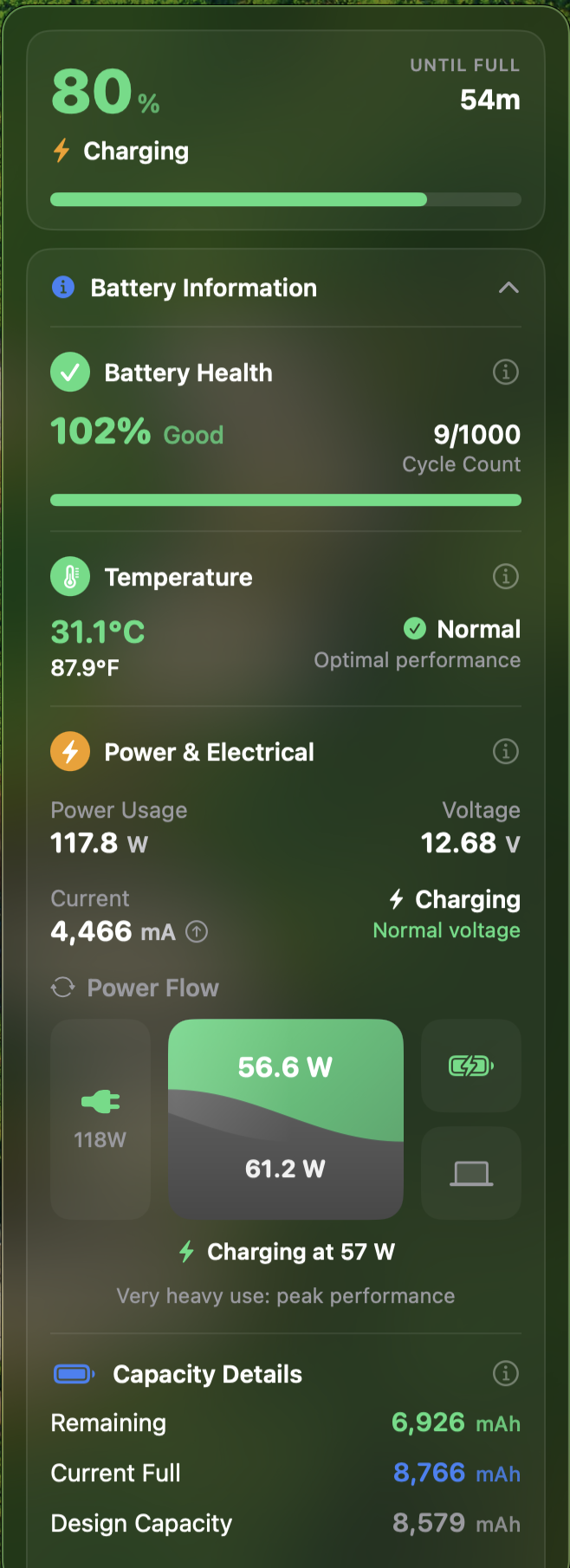
Capacity vs. design — can read past 100% — with live cycle count.
Cell temperature in °C / °F with a normal · warm · hot verdict.
Real-time watts, voltage, current draw and the exact charge state.
A curved split, drawn live — energy into the cell vs. into the machine.
Low, charged and plug events — a glowing Dynamic-Island bubble, each previewable.
Visibility-gated reads, sleep/wake aware, idle at effectively zero cost.
# if macOS still blocks it
xattr -dr com.apple.quarantine /Applications/Voltbar.appSwift toolchain on Apple Silicon, macOS 14+.
$ git clone https://github.com/Hisham-Tariq/voltbar.git
$ cd voltbar
$ ./build.sh        # → build/Voltbar.app, signed
$ open build/Voltbar.app
A Voltbar.zip is attached to each release too.